How to Create a Waterfall Chart in PowerPoint: Step‑by‑Step Guide

PowerPoint How To  

If you’ve ever needed to explain how you get from one number to another - revenue to EBITDA, budget to actuals, cost baseline to final spend, you might have used a Waterfall chart. Waterfall charts are commonly used in consulting, finance, and strategy because they're a great way to depict positive and negative drivers over a period of time (e.g. to show changes in headcount, financial performance, customer churn).

This guide walks you through how to create waterfall charts in PowerPoint. It covers multiple options - including the built‑in PowerPoint Waterfall chart, Excel Waterfall charts that can be imported to PowerPoint as well as more manual fully custom designs.

What is a Waterfall Chart?

A Waterfall chart is a data visualization that depicts how something changes - typically over a period of time. Waterfall Charts are used to provide quantitative context to the story about how and why the number has changed.

You start with a value on the first bar. Each subsequent bar shows the increase or decrease to the initial value. The final bar shows the ending total, after all changes are applied. Waterfall charts are commonly used in consulting. Some consulting firms refer to Waterfall Charts by other names - including Bridge Charts, Step Charts, Cascade Charts, Cumulative Charts and Mario Charts (a reference to the charts looking similar to Mario's steps in the Nintendo game!).

Waterfall charts in Vertical (column) format are commonly used for time-series data (eg to show changes over a monthly/ quarterly/ yearly basis). Waterfall charts in Horizontal (bar) format are less commonly used, but are good if your series has long category labels. Note that PowerPoint, Excel and Power BI default to Vertical format Waterfall Charts.

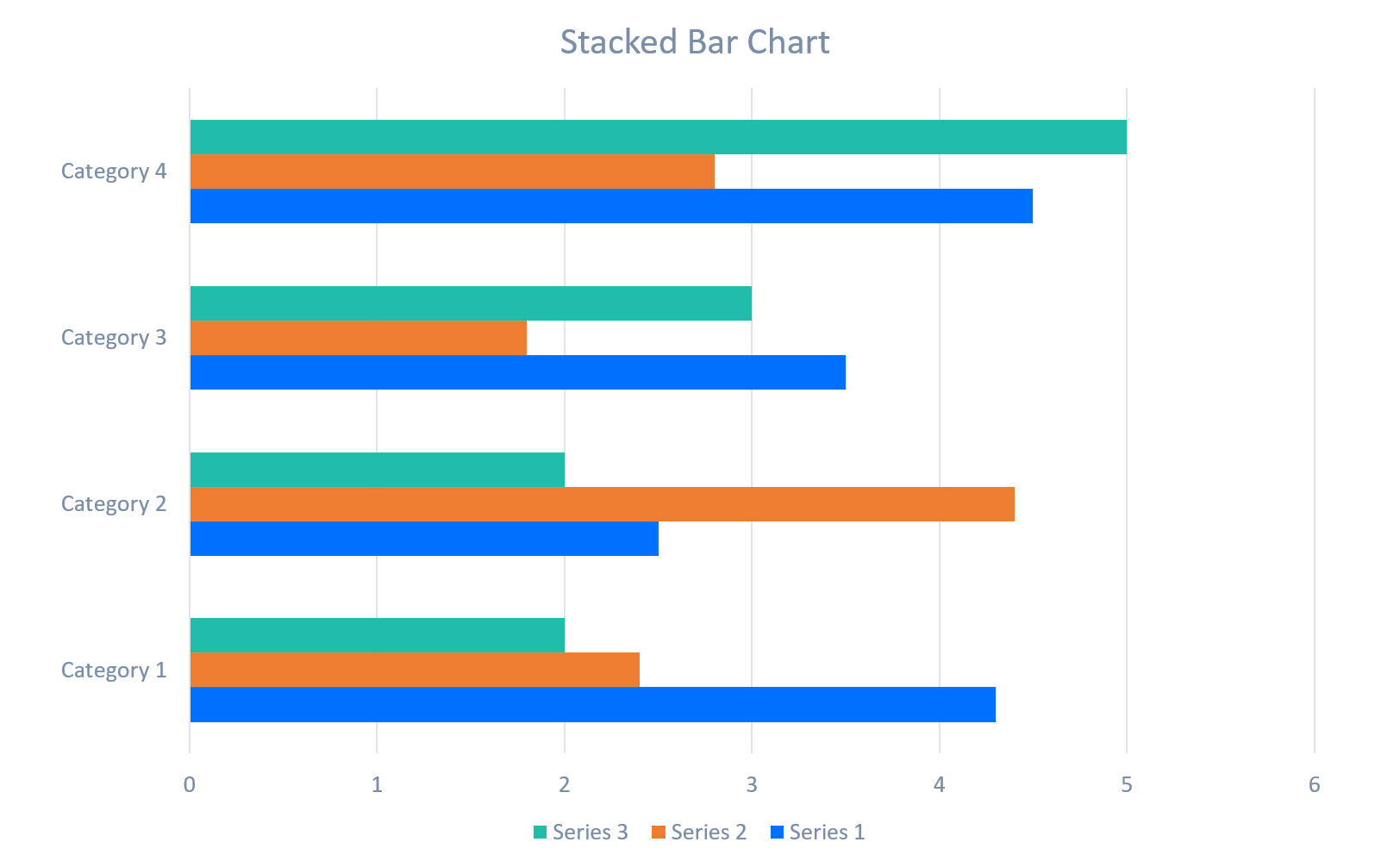
Its important to note that Waterfall charts are not to be confused with Column Charts or Bar Charts. The main difference between a Waterfall Chart vs a Column Chart or Bar Chart is the information depicted in a Waterfall chart to highlight the change to values over time rather than the cumulative. It might be useful to refer to the following images which are examples of Column Charts, Stacked Column Charts, Bar Charts and Waterfall Charts.

Example of a Clustered Column Chart
Example of a Stacked Column Chart
Example of a Stacked Bar Chart
Example of a Waterfall Chart

Option 1: How to Create a Waterfall Chart in PowerPoint using the Built‑In Waterfall Chart Type

PowerPoint includes a native Waterfall chart type, which makes it easy to build a clean, functional waterfall without manual calculations. When you select this option, an Excel sheet will load from within PowerPoint allowing you to edit the data. The standard PowerPoint Waterfall chart is a quick option, but it is quite limited in terms of the formatting options available.

Step‑by‑Step: PowerPoint’s Built‑In Waterfall Chart

  1. From the PowerPoint Ribbon, go to Insert → Chart.
  2. Select Waterfall from the PowerPoint Charts menu.
  3. Replace the sample Excel data with your own categories and values.
  4. Right‑click any bar that represents a total and choose Set as Total.
  5. Format colours, labels, and fonts using PowerPoint's Chart Design and Format tabs (noting that these are preset options, so the flexibility is limited).

Strengths

  • Fastest way to create a waterfall chart in PowerPoint
  • PowerPoint Waterfall Chart automatically handles positive and negative values
  • Built‑in Set as Total feature simplifies subtotal handling
  • Easy to update by editing the Excel data (from within PowerPoint)
  • Consistent with corporate templates and PowerPoint themes

Limitations

  • Limited design flexibility
  • The in-built color rules are basic -you must recolor increases/decreases manually

Option 2: How to Build a Waterfall Chart in Excel and Insert It Into PowerPoint

If your data is more complex (or perhaps you prefer Excel’s calculation tools!), you can create a Waterfall Chart in Excel and paste it into PowerPoint.

Step‑by‑Step: Excel Waterfall → PowerPoint

  1. In Excel, go to Insert → Charts → Waterfall.
  2. Enter and format your data
  3. Copy the chart
  4. Paste the Waterfall chart into PowerPoint (options will display allowing you to embed or link the chart)
    • The colors of the Excel Waterfall chart will automatically update to match your PowerPoint template theme colors when pasted into PowerPoint, although you may need to update the chart heading

Strengths

  • Excel handles large datasets and formulas better than PowerPoint if you are creating a Waterfall Chart for more complex data
  • You can use the Linking option to link the chart in PowerPoint back to the main chart in Excel, which keeps the chart updated automatically

Limitations

  • Linked charts create a two‑file dependency
  • Formatting may shift slightly when pasted into PowerPoint
  • Excel's Waterfall Charts formatting options are also limited

Option 3: How to Create a Custom Waterfall Chart in PowerPoint Using Shapes

For consulting slides, you may want more control than the built‑in PowerPoint Waterfall chart or Excel chart options support. This method uses rectangles, lines, and text boxes to build a fully custom PowerPoint Waterfall chart. It's more time consuming than the other options, but it lets you fully customize the appearance of your Waterfall Chart.

Step‑by‑Step: Manual Waterfall Chart Using Shapes

  1. On your PowerPoint slide, insert a horizontal baseline using Insert → Shapes → Line
  2. Add rectangles for each bar (positive or negative)
  3. Color code bars manually (e.g. select different colors for increases, decreases and starting/ ending values)
  4. Add text boxes for labels and values
  5. Add thin connector lines (if desired)
  6. Group the elements for easy resizing

Strengths

  • Design flexibility - control spacing, bar width, colors, and connectors
  • No reliance on a separate Excel spreadsheet

Limitations

  • Time‑consuming
  • No automatic calculations - you need to compute bar heights manually
  • Harder to update when numbers change
  • Requires careful alignment to look professional

Option 4: How to Build a Waterfall Chart in PowerPoint using a Stacked Column Chart

Before PowerPoint introduced the native Waterfall chart, consultants typically created Waterfall Charts in PowerPoint by customizing stacked column charts. This method still works if you need precise control over the bar offsets (bar offsets are the starting points for each 'floating' value in a Waterfall Chart.

Bar Offset Example in a Waterfall Chart

Step‑by‑Step: Stacked Column Waterfall Chart

  1. Prepare data with three columns:
    • Base (invisible offset)
    • Increase (positive values)
    • Decrease (negative values)
  2. Use the PowerPoint Insert Charts option to insert a Stacked Column chart
  3. Set the Base series to No Fill
  4. Color the Increase and Decrease series
  5. Reduce Gap Width for a solid waterfall look
  6. Add labels only to visible bars

Strengths

  • High precision over bar positioning
  • More flexibility than the native PowerPoint Waterfall chart
  • Good for multi‑layer or multi‑series Waterfalls
  • Still uses PowerPoint chart mechanics - which means that updates are easier than Option 3 with fully manual shapes

Limitations

  • More complex setup
  • Requires careful data preparation
  • Still limited by column chart formatting rules

PPT Productivity is a timesaving PowerPoint add-in. The PPT Productivity are working on new Charts features to streamline Waterfall and other chart types in PowerPoint. Contact us to request an update when the Charts features are released!


Head of Growth Courtney has been working in PowerPoint for 23 years – initially as a consultant at Accenture, then as a freelance strategy consultant and most recently as the Head of Growth for PPT Productivity. Courtney nominates PPT Productivity's Sticky Notes feature as her favourite.

demo

See our tools at work

Book a personal demo with our PPT professionals;

Book Live Demo
trial

Start 30 Day Free Trial

Start your 30 day free trial - Microsoft Office for Windows

Start Free Trial
trial

Download and Install

Existing customers download to install on a new computer

Install